January 20, 2026
Improvements
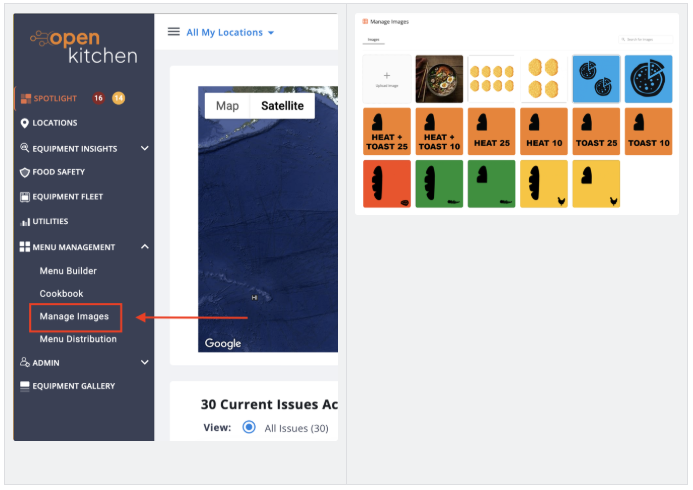
A Smarter, Cleaner Way to Manage Menu Images
We’ve rolled out a brand-new Image Manager that makes working with menu images in Menu Builder by Open Kitchen fast and frustration-free. You can now search, rename, delete, and preview images easily, and we handle resizing and formatting behind the scenes so you don’t have to.
View the Demo to Learn More
Bug Fixes
- TurboChef menu exports — fixed: We fixed an issue where exporting legacy TurboChef menus caused missing settings in OneTouch formats. Everything now exports cleanly and ready to use.
- Smoother Chipotle rollouts: We resolved a licensing issue that was blocking activation at certain Chipotle locations, helping keep new deployments moving without extra support steps.
- Fewer random logouts, clearer messages: If your session expires or becomes invalid, you’ll now see a clear message and be prompted to log back in. No more confusing behavior or broken screens.
February 5, 2026
What’s New
More Reliable Fryer Data
We fixed an issue where fryer cook counts could disappear if equipment moved between locations. Counts now stay accurate even when units are reassigned — a big win for multi-location operators.
Mobile App Fixes (v7.4.1)
This release focused on polish and reliability:
- Improved photo uploads and image quality
- Fixed location permission issues on Android
- Cleaned up layout glitches in landscape mode
- Resolved several iOS navigation and display bugs
- Addressed login issues for users with access to multiple accounts
Security Updates
To keep accounts secure:
- Enterprise Admins will now be prompted for two-factor authentication when logging in from a new device or network.
- In regions where text messages aren’t supported, we’ve automatically switched 2FA to email so no one gets locked out.